
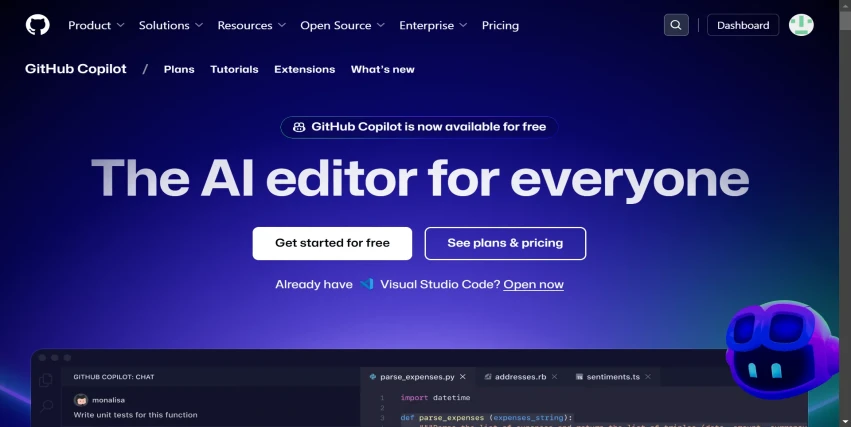
GitHub Co-Pilot for free
The best AI Coding Assistant is now available to all users
It's raining Generative AI releases and the latest add-on is free access to GitHub CoPilot to all users registered on GitHub. This is a big release given GitHub CoPilot’s dominance in the AI Coding space.
But first of all
What is GitHub CoPilot?
GitHub Copilot is an AI-powered coding assistant developed collaboratively by GitHub and OpenAI, designed to enhance developer productivity by providing code suggestions and automating programming tasks. It integrates seamlessly with popular integrated development environments (IDEs) such as Visual Studio Code, Visual Studio, Neovim, and JetBrains IDEs.
Some cool features include
Domain/Assistants (@)
@workspace
- Purpose: Provide information or assistance related to your current project or workspace.
- Example Use: “What dependencies does my project have?”
@vscode
- Purpose: Helps with questions specific to Visual Studio Code (VS Code).
- Example Use: “How do I configure VS Code to work with Python?”
@terminal
- Purpose: Offers guidance on terminal commands or shell usage.
- Example Use: “How do I create a new directory from the terminal?”
@github
- Purpose: Combines knowledge from web search, code repositories, and enterprise knowledge bases to answer queries.
- Example Use: “What’s the latest best practice for CI/CD workflows on GitHub?”
Commands (/)
/explain (Code Context)
Purpose: Explains how the code in your active editor works.
Example Use: Highlight a block of code and ask, “What does this code do?”
Output: A detailed explanation of the logic, structure, and functionality of the selected code.
/tests
Purpose: Generates unit tests for the selected code.
Example Use: Select a function, and it generates appropriate test cases in your preferred testing framework (e.g., Jest, Pytest).
/fix
Purpose: Analyzes and proposes fixes for any problems or inefficiencies in the selected code.
Example Use: Highlight buggy code, and Copilot will suggest corrections or improvements.
/new
Purpose: Helps scaffold code for a new file or project in your workspace.
Example Use: “Set up a basic Node.js Express app.”
/newNotebook
Purpose: Creates a new Jupyter Notebook, useful for data analysis, machine learning, or interactive coding.
Example Use: “Create a new notebook for data visualization with Matplotlib.”
/fixTestFailure
Purpose: Proposes solutions for failing tests.
Example Use: When tests fail, this will suggest changes to fix the underlying issues.
/setupTests (Experimental)
Purpose: Automates the setup of test configurations in your project.
Example Use: “Set up Jest for this JavaScript project.”
/search
Purpose: Generates query parameters for searching within your workspace.
Example Use: “Find all occurrences of ‘API_KEY’ in the workspace.”
/startDebugging (Experimental)
Purpose: Generates a launch configuration for debugging and starts the debugging process in VS Code.
Example Use: “Start debugging this Python script.”
/explain (Terminal Context)
Purpose: Explains terminal commands or their functionality.
Example Use: “What does grep -r do?"
The @ commands represent participants or assistants with specialized expertise, providing guidance or answering questions (e.g., @workspace for project-related queries). In contrast, / commands are action-oriented, triggering specific tasks or tools like generating code, fixing issues, or creating files (e.g., /fix resolving buggy code). Think of @ it as asking an expert for advice, while / it is like instructing a tool to perform a job.
The free tier includes
- Code Completions: Users can access up to 2,000 code completions per month, which provide suggestions as they code.
- Chat Functionality: The free tier allows users to send up to 50 chat messages per month. This feature allows developers to ask coding questions, debug existing code, or get explanations for code snippets.
- Model Options: Users can choose between AI models, including options like Anthropic’s Claude 3.5 Sonnet and OpenAI’s GPT-4o, for generating code suggestions and responses.
- Code Edits Across Multiple Files: The free tier allows users to make edits across multiple files, although this feature is primarily available in Visual Studio Code and Visual Studio.
- Access to Third-Party Extensions: Developers can access or build their extensions using Copilot’s third-party agents, which enhances the functionality of their coding environment.
- Integration with Various IDEs: GitHub Copilot Free is compatible with several integrated development environments (IDEs), including Visual Studio Code, Visual Studio, JetBrains IDEs, Vim/Neovim, Xcode, and Azure Data Studio.
Concluding,
The free availability of GitHub Copilot marks a significant milestone in democratizing AI-powered coding assistance. By providing robust features such as intelligent code completion, debugging help, and seamless integration with popular IDEs, GitHub Copilot empowers developers of all skill levels to code smarter and faster. Whether you’re a seasoned programmer or just starting, this free tier ensures access to cutting-edge tools that enhance productivity and creativity.